

 FlippingBook Publisher
 FlippingBook Automation
 Salespal
How do I renew my subscription?
 Product: FlippingBook Online
Because FlippingBook Online is a subscription-based service, your license is automatically renewed. As long as you don’t cancel, we will charge you each month/year. How this is done exactly depends on your payment method:
- If you pay by credit card (or PayPal billing agreement), we try to charge you automatically on the day your license is up for renewal. This date is shown in the subscription section of your account.
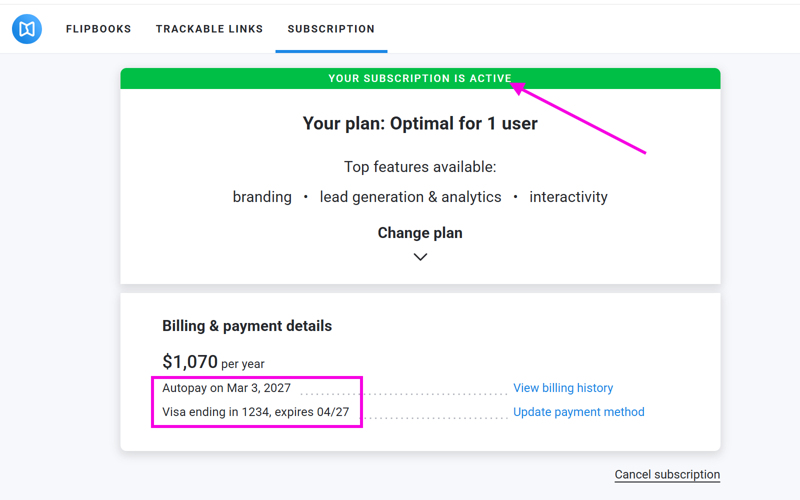
For the renewal to be successful, make sure that- Your subscription is active. Resume your subscription if it is not active.
- The card we have on file is still valid. We show the last 4 digits and expiry date on the subscription page. If you want to use another card, use the Update payment method link.
- There are enough funds on the card.
- If you pay with a manual payment method (e.g., ACH, SEPA Wire transfer, or check) without having raised a Purchase Order, we send you a reminder 14 days before the license expires. If the payment doesn’t arrive in time, then we’ll keep your license active for 14 more days, so we can resolve the payment without your flipbooks going offline.
- If your subscription was set up after sending a Purchase order, we send you a new invoice on the day your license expires. Your license is renewed automatically, and you can pay the invoice in your regular Accounts Payable process.


