In a world of interactive content, static PDFs feel stuck in the past. They’re no longer enough to keep the reader engaged. In fact, by 2026, traditional PDFs are increasingly falling short—interactive content now drives 2–3 times more engagement than static formats, and 62% of users say they prefer content they can interact with. This means that engaging interactive PDFs are no longer a nice-to-have, but a must.
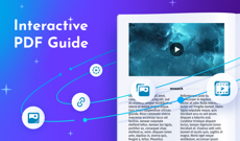
An interactive PDF is a document that allows readers to click, watch, explore, and take action, rather than just scrolling. It can include videos, forms, GIFs, and many other interactive elements. See for yourself!
How do you craft such a document? Thankfully, there are many interactive PDF tools for every case that help create powerful content. So today, we’ve compiled the best interactive PDF software list, allowing you to select the ones that suit your needs.
What Makes a Great Interactive PDF Tool?
Not all interactive PDF tools are created equal. While many promise engagement, the best ones make it easy to create documents that are both useful for readers and effective for you. Here are the key things to look for.
🧩Easy to use. A good interactive PDF creator shouldn’t require design expertise. Some solutions are built for professional designers, while others are more beginner-friendly. Ideally, you should be able to add interactivity, update content, and publish documents without a steep learning curve.
✨Range of interactive elements. Interactivity is what brings a PDF to life. Beyond simple links, strong tools let you add:
- Videos and GIFs.
- Pop-ups and image galleries.
- Buttons, forms, and calls to action.
The more ways readers have to interact with your content, the more compelling it becomes.
💡 Read our interactive PDF guide to get inspired and unlock actionable insights for creating interactive PDFs.
🔗Flexible sharing options. How your document is shared matters just as much as how it’s built. The best tools offer:
- Easy online sharing via links.
- Mobile-friendly viewing.
- Optional offline access.
This ensures your interactive PDFs work smoothly on any device.
📊Analytics and engagement tracking. One of the biggest advantages of interactive PDFs is insight. Instead of guessing, you can see:
- How many people opened your document.
- Which pages get the most attention.
- Where readers click or drop off.
This data helps you improve future content and measure results.
🎨Branding and customization. Your PDFs should reflect and embody your brand. Choose tools that allow you to customize colors, fonts, logos, and layouts so your documents feel polished and consistent across channels.
💡Learn about easy-to-use tools that help you create PDFs from scratch, and make them look nice and professional
💰Pricing that grows with you. Finally, consider pricing and scalability. Some tools are great for one-off projects, while others support ongoing use, teams, and growing content libraries. The right tool should fit your current needs and still make sense as your projects grow.
💡 How does interactivity impact user engagement?
According to our survey on user engagement, readers interacted more with the flipbook interface (downloads, sharing, and logo clicks) after we added interactive elements to the content. Most metrics show a positive trend—52.6% positive and 28.1% neutral. Thus, integrating interactive elements in your flipbooks can improve user engagement with content, making it more enticing and recognizable.
Top Interactive PDF Tools—2026 Edition
Here’s a quick comparison to help you choose the right interactive PDF tool at a glance. Read on to learn all the details about each tool.
Interactive PDF Tools Comparison
| Tool | Best for | Interactivity | Analytics | Branding, customization | Hosting, mobile | Ease of use |
| FlippingBook | Businesses, marketers, teams | ⭐⭐⭐⭐⭐ Rich (videos, audio tracks, pop-ups, galleries, forms) | ✅ Advanced | ✅ Full branding & custom domain | ✅ Online mobile-first | ⭐⭐⭐⭐ |
| Adobe Acrobat Pro | Forms, contracts, workflows | ⭐⭐ Basic (forms, links) | ❌ | ❌ | ⚠️ File-based | ⭐⭐⭐ |
| Canva | Students, educators, small teams | ⭐⭐⭐ Design skills needed. (Links, animations) | ❌ | ⚠️ Limited | ⚠️ Export-based | ⭐⭐⭐⭐⭐ |
| Adobe InDesign | Professional designers | ⭐⭐⭐ Advanced layout | ❌ | ⚠️ Design-only | ❌ | ⭐⭐ |
| Flipsnack / Issuu / Publuu | Quick online sharing | ⭐⭐–⭐⭐⭐ Basic | ⚠️ Limited | ⚠️ Limited | ✅ Online | ⭐⭐⭐⭐ |
#1 FlippingBook
FlippingBook is a powerful interactive PDF tool that transforms static PDFs into captivating online flipbooks. Readers can engage with videos, GIFs, pop-up image galleries, forms, and clickable links—all in one seamless experience. FlippingBook goes beyond design, offering analytics, branding, and mobile-first viewing, so you can see how your audience interacts with every page and ensure your content looks polished and professional on any device.
Best for: Big to small businesses, marketers, and teams that want to publish branded, trackable interactive PDFs.
Key benefits
⭐Rich interactivity
Today’s readers scroll fast, skim quickly, and decide in seconds whether your content is worth their time. Adding interactive elements transforms your document from something people glance at into something they actively explore. With FlippingBook, you can:
- Embed videos directly into your PDF and boost engagement by up to 39%. Readers can watch without leaving the page, making your publication feel dynamic and immersive.
- Add audio tracks to create a richer, more immersive reading experience, whether you’re sharing background music, narration, or additional commentary.
- Add GIFs and animations to bring motion to your pages, highlight key points, and help messages stick instantly.
- Use pop-up image galleries so readers can browse multiple visuals without disrupting their flow. Pop-ups are 81% more effective at capturing attention than static images.
- Insert built-in surveys and polls to turn your PDF into a two-way conversation and gather insights from your audience.
- Add clickable links that guide readers to related resources, websites, or calls to action—keeping them engaged and moving forward.
⭐Online hosting and mobile-first viewing
With FlippingBook, publications are hosted online and optimized for mobile devices, ensuring smooth performance across desktops, tablets, and smartphones.
⭐Built-in analytics and engagement tracking
FlippingBook provides insights into views, reading time, page performance, GEO, devices, and link clicks. Thus helping you understand how readers interact with your content to make it even more effective and follow up at the right time.
⭐Branding and customization options
You can apply your brand colors, logos, and background, ensuring interactive PDFs feel like a seamless extension of your website. What’s more, branded flipbook links reinforce your brand identity and build trust with every share.
⭐Content protection
FlippingBook offers multiple ways to secure your PDFs, including password protection, protected embeds, and SSO or email-based access. This helps keep your documents safe online, offering stronger protection than standard PDFs.
Limitations
No layout creation from scratch
FlippingBook works with existing PDFs, so layouts must be created in a separate design or document tool first.
💡 If you don’t have a ready PDF yet, use FlippingBook and Canva integration to create a design in Canva and then publish it right to FlippingBook and enhance with interactivity.
Check out an interactive PDF example, created with FlippingBook—it shows how interactivity can turn a plain PDF into an engaging digital document.
#2 Adobe Acrobat Pro
Adobe Acrobat Pro is a traditional PDF editor focused on creating, editing, and managing PDF documents. It’s widely used for forms, approvals, and internal documentation rather than interactive, reader-driven experiences.
Best for: Form-heavy documents, contracts, and internal workflows where editing and signing are the most important tasks.
Key benefits
⭐Create and manage fillable forms
Acrobat allows you to add text fields, checkboxes, dropdowns, and digital signatures, making it a solid choice for applications, agreements, and approvals.
⭐Edit existing PDFs with precision
You can update text, reorder pages, add comments, and annotate documents without going back to the source file.
⭐Work within familiar workflows
Acrobat is widely adopted across organizations, making collaboration easier for teams that already rely on Adobe tools.
Limitations
Limited interactivity
Beyond forms and links, Acrobat doesn’t support rich interactive elements like pop-ups, embedded media, or dynamic navigation.
No engagement analytics
Once a PDF is shared, there’s no insight into who viewed it, how long they spent reading, or what they clicked.
#3 Canva
Canva is an easy-to-use design platform that helps users create visually appealing PDFs with basic interactivity. It prioritizes simplicity and speed over advanced functionality.
Best for: Students, educators, and small teams creating neat, design-led PDFs.
Key benefits
⭐Design without a learning curve
Canva’s drag-and-drop editor and templates make it easy for non-designers to create polished layouts quickly.
⭐Create visually enticing documents
The platform excels at helping users produce modern, clean designs suitable for presentations, handouts, and simple PDFs.
⭐Add basic navigation with links
Clickable links let readers move between pages or external resources, adding light interactivity.
Limitations
Basic interactivity only
Canva lets you add GIFs and videos in the design editor and presentations, but when exporting to a PDF, the interactivity is very limited.
Not built for business publishing at scale
Managing large document libraries, advanced branding, or performance tracking can be challenging.
#4 Adobe InDesign
Adobe InDesign is a professional interactive PDF creator used to make complex, high-quality publications with interactive elements built into the layout.
Best for: Professional designers working on visually rich, layout-intensive publications.
Key benefits
⭐Full control over layout and typography
InDesign provides precise control over spacing, fonts, grids, and visual hierarchy, making it an ideal choice for high-end design work.
⭐Add interactive elements at the design stage
Designers can include buttons, animations, and basic interactivity directly within the document.
⭐Integrate with Creative Cloud
InDesign works seamlessly with Photoshop, Illustrator, and other Adobe tools for advanced creative workflows.
Limitations
Steep learning curve
Non-designers may find the interface complex and time-consuming to master.
Limited publishing and analytics
InDesign doesn’t provide hosting, engagement tracking, or reader analytics, so additional tools are needed to publish and measure results.
#5 Flipsnack/ Issuu/ Publuu
These platforms convert PDFs into online flipbooks, allowing users to publish and share documents quickly with minimal setup.
Best for: One-off projects, personal portfolios, and quick online sharing.
Key benefits
⭐Fast PDF-to-flipbook conversion
Upload a PDF and publish it online in just a few steps, with no technical setup required.
⭐Easy online access
Readers can view documents directly in their browser without downloading files.
⭐Low barrier to entry
These tools are easy to start with and suitable for casual use.
Limitations
Limited branding and customization
Custom domains, advanced branding, and white-label options are often restricted to higher-tier plans.
Basic interactivity
Interactive features are usually limited compared to more advanced platforms.
Light analytics
Engagement insights are often minimal, offering limited visibility into reader behavior.
AI in Interactive PDFs: The New Frontier
AI is changing how interactive PDFs are created—making the process faster, smarter, and more accessible for everyone, not just designers.
⚡AI-powered design and content creation
Modern tools now use AI to help you get started instead of staring at a blank page. Platforms like Canva offer AI-powered design suggestions, while tools like ChatGPT can help you draft copy, headlines, summaries, or even entire sections for your document.
Other AI tools can also play a role at different stages:
- Adobe Firefly can generate visuals and design elements to enhance your layouts.
- Notion AI helps structure content, rewrite text, or summarize long documents before turning them into a polished PDF.
Together, these tools make it much faster to move from idea to finished content— without needing advanced design or writing skills.
⚡Auto-generated layouts and smart suggestions
AI can automatically suggest layouts, spacing, and visual hierarchies based on your content. Instead of manually adjusting every element, you get smart recommendations that improve readability and structure. This is especially useful for reports, brochures, catalogs, and presentations where consistency and clarity matter.
⚡Faster document creation, less manual work
By combining AI-generated text and layouts, teams can significantly reduce the time it takes to create documents. What once took days—writing, designing, revising—can now be done in hours. AI handles the heavy lifting, so you can focus on refining your message and goals instead of formatting details.
⚡Where interactivity completes the picture
AI is very helpful at creating content, but it doesn’t make documents interactive on its own. That’s where tools like FlippingBook come in. Once AI helps you draft and design your PDF, FlippingBook turns it into a powerful flipbook by adding videos, animations, clickable links, pop-ups, and forms.
💡 In other words, AI helps you create faster, while interactive PDF tools help you engage better and track results—turning simple files into dynamic, measurable content.
FAQ: Interactive PDF Tools
1. What is the best tool to create an interactive PDF?
It depends on your goals. For professional, trackable, and branded PDFs, FlippingBook is a top choice. For form-heavy documents, Adobe Acrobat Pro works well. If you want quick, design-focused PDFs, Canva or InDesign can do the job, while Flipsnack/Issuu/Publuu are great for casual online flipbooks.
2. How do I make a PDF interactive with videos?
You can embed videos using interactive PDF tools like FlippingBook, InDesign, or Adobe Acrobat Pro. With FlippingBook, videos play directly inside your PDF, keeping readers engaged without leaving the page.
3. Can I track who views my interactive PDF?
Yes! Tools like FlippingBook include built-in analytics, letting you track views, clicks, and reader behavior. Traditional PDFs or basic tools like Canva usually don’t offer this level of insight.
4. What is the difference between a flipbook and an interactive PDF?
A flipbook is a type of interactive PDF that creates the experience of flipping through a physical book online. Interactive PDFs can also include forms, videos, pop-ups, and clickable links, but may not always have the page-flipping animation.
5. Are interactive PDFs mobile-friendly?
Most modern tools, especially FlippingBook, ensure that readers can view, navigate, and interact with your content smoothly on phones and tablets.
Transform the Way People Experience Your PDFs
Interactive PDFs are more than just documents—they’re dynamic, engaging, and professional tools that make your content truly stand out. They empower your documents and help create experiences that capture attention, provide measurable insights, and strengthen your brand.
With tools like FlippingBook, crafting these interactive PDFs is fast and easy. Go beyond traditional documents and start delivering content that reads, engages, and performs—giving your audience a richer, more memorable experience.
Make your PDFs interactive and trackable with FlippingBook