A digital newsletter is a great way for businesses to communicate with their audience, build customer trust, and drive sales, all at the same time. Yet many companies miss the full potential of newsletters or struggle to turn their communications into something readers genuinely want to open and spend time with.
In this guide, we’ll walk you through creating an online newsletter in five simple steps—from planning to sharing.
You'll also find newsletter examples with ready-made templates to get started fast, and tips on using Canva and FlippingBook to make your newsletter visually engaging and interactive.
What Is an Online Newsletter?
An online newsletter is a regularly issued digital publication. It is most commonly used by businesses and organizations to keep their audience informed, whether they are customers, partners, or employees. Online newsletters usually contain company news, product updates, tips, or other information that is relevant and useful to their audience.
The process of creating a newsletter usually starts the same way: with clear goals, valuable content, and the right tools to deliver it.
💡 Newsletters come in different structures and sizes:
Some are short weekly digests, others—longer, more polished editions that go out once a month or quarter. Some brands use newsletters to announce launches or promotions, while others focus on expert advice, storytelling, or community building.
In other words, your newsletter can be as simple or as creative and interactive as you want it to be.
Create your newsletter today
But before we dive deep into the details, let’s see why you should consider creating a newsletter.
Why Create a Newsletter?
The value of creating a virtual newsletter can easily be overlooked. Social media marketing has become such a widely preferred way of communicating with an audience that many companies simply stop there. Yet an effective online newsletter can generate just as much, or even more, customer engagement while also helping to increase sales.
There are at least five solid reasons why a digital newsletter can benefit your organization:
- Promote new products or developments in a more thorough and engaging way;
- Increase traffic to your website by linking back to it from your newsletter;
- Use an internal newsletter to keep employees informed and aligned by sharing company news, important updates, achievements, and upcoming initiatives;
- Build customer trust by establishing your brand voice and helping readers become more familiar with it;
- Sell advertising space in your newsletter to interested parties or promote your partners.
If all of this sounds like something you would want for your company, let’s move on to which digital format is best suited to creating newsletters online.
Choosing the Right Newsletter Format
Most online newsletters are published in one of two formats: sent directly as an email or shared as a PDF. Both are widely used, but both come with trade-offs.
Email newsletters land straight in the inbox, which is convenient. But they're not ideal for longer or design-heavy content, and once sent, you can't update them.
PDF newsletters give you more control over layout and design, but they're less user-friendly on mobile and usually require downloading or opening a separate file. And if something needs fixing, you're back to sharing a new version.
Spotted a typo after hitting send? Both PDF and email newsletters may need to be resent.
That’s why, in this guide, we’ll focus on a third option that addresses these limitations—a flipbook newsletter. It is an HTML5 publication that doesn’t require downloading. You can share it via a link or QR code, or even embed it on a web page.
Here’s what a flipbook newsletter can look like
Use the table below to compare the strengths and limitations of each newsletter format.
| Feature | Email newsletter | PDF newsletter | Flipbook newsletter |
| How it's shared | Email only. | File attachment or download link. |
Link, QR code, social media, website embed, or email.
|
| Updates after sharing | Requires sending a new email. | Changes often require sharing an updated PDF or file. |
Update the publication while keeping the same link.
|
| Reading experience | Best for short, concise updates. | Keeps your design but is less convenient to read, especially on mobile. |
Interactive, engaging experience that works on any device.
|
| Design flexibility | Limited by email client compatibility. | Full control over layout and branding. |
Full control over layout and branding, plus the ability to add interactive elements.
|
| Interactivity | Basic links and buttons. | Usually limited to hyperlinks. |
Supports videos, forms, pop-ups, GIFs, audio, and clickable elements.
|
| Best for | Short announcements, promotions, and regular updates. | Printable newsletters, reports, and promo materials. |
Visually rich newsletters, marketing content, and interactive communications.
|
What Makes Interactive Flipbook Newsletters So Effective
According to the HubSpot State of Marketing Report 2026, 22% of marketers say expanding from text-based to visual and audio content was their most effective diversification strategy. Visual assets are now the top thing marketers test when optimizing performance.
A flipbook newsletter is built around exactly this idea. Instead of a flat document readers scroll through once and forget, it becomes a visual, interactive experience they actually spend time with.
Here's what makes it work:
📸 Interactivity that supports your message
FlippingBook lets you go well beyond text. You can add videos, GIFs, audio, forms, pop-ups, and clickable links—all inside the newsletter itself. This means you can add a contact form, highlight a key stat with an animated GIF, or link readers to additional resources, without making the newsletter feel overloaded.
Turn your newsletter into a flipbook
📊 Analytics that tell you what's actually working
Knowing whether anyone read your newsletter and what caught their attention is a great source of insights. FlippingBook gives you real engagement data: who opened it, how long they spent reading, which sections got the most attention, and which links were clicked.
Over time, you learn what your audience actually cares about, and you can use that to make every edition better than the last.
🔄 No resending needed—just update
Mistakes happen. Fortunately, you don't need to resend your newsletter every time you spot one. This handy feature lets you update your flipbook at any time while keeping the same link, so readers always see the latest version.
Newsletter Types and Templates
The right approach to newsletters depends on what you want to communicate and who you want to reach. Here are some of the most common newsletter types and practical tips for creating each one.
- Newsletters for marketing campaigns
Marketing newsletters can support product launches, seasonal promotions, or content campaigns.
💡 Pro tip: Use visuals and GIFs to draw attention to industry insights and important offers, add links to relevant landing pages, and track which sections receive the most clicks.
- Newsletters for outreach and sales
To address your prospects’ needs, you can share customer stories with similar use cases, helpful resources, product updates, and product roadmaps.
💡 Pro tip: You can send each client an individual trackable link to see who opened the newsletter and how they interacted with it, helping your sales team identify opportunities for follow-up.
- Internal communication newsletters
An internal newsletter helps keep employees informed about company updates, team achievements, HR announcements, and upcoming initiatives. It can be especially useful for remote or distributed teams that need one consistent source of information.
Keep all your internal newsletters together in a branded digital bookshelf, so employees can easily browse current and past editions from one organized place.
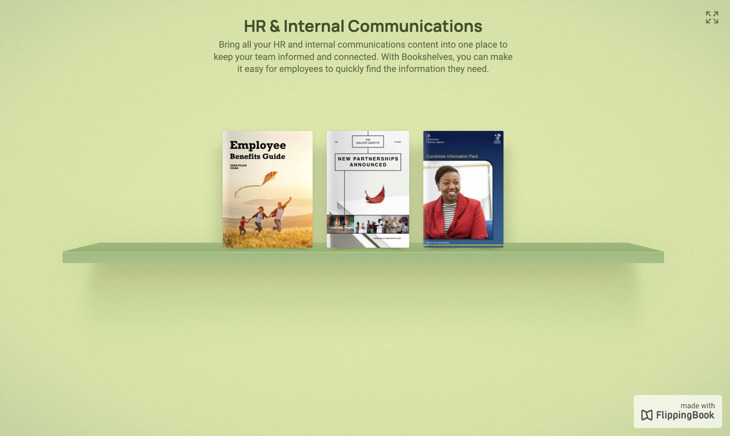
Group your newsletters in a bookshelf
- Educational and nonprofit newsletters
Educational institutions and nonprofits can use newsletters to share news, highlight their work, and stay connected with students, members, donors, or supporters.
Event photos, alumni testimonials, and videos can help make the newsletter more engaging and show the impact of your work in a clear and personal way.
See an educational newsletter example
⭐️ Quick reminder
Flipbooks start with a designed PDF. If you haven’t created one yet, tools like Canva make it simple. You can pick a newsletter template, customize it, and export it as a PDF. Then upload it to FlippingBook to turn it into an interactive flipbook newsletter.
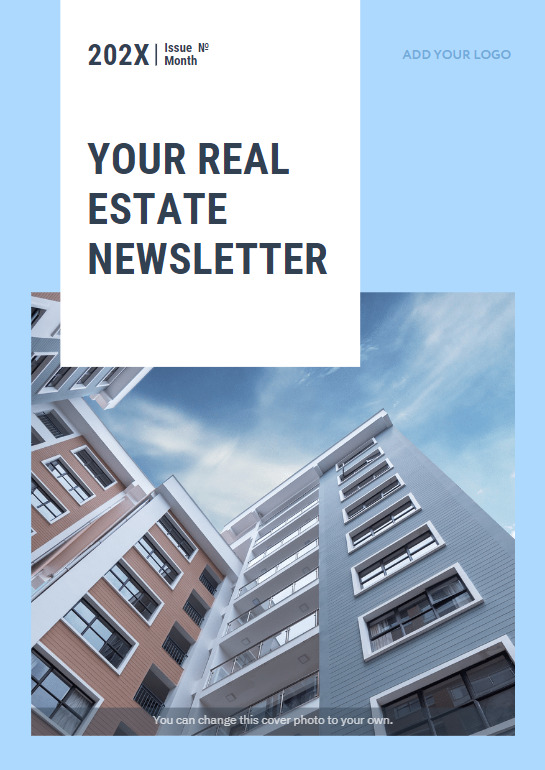
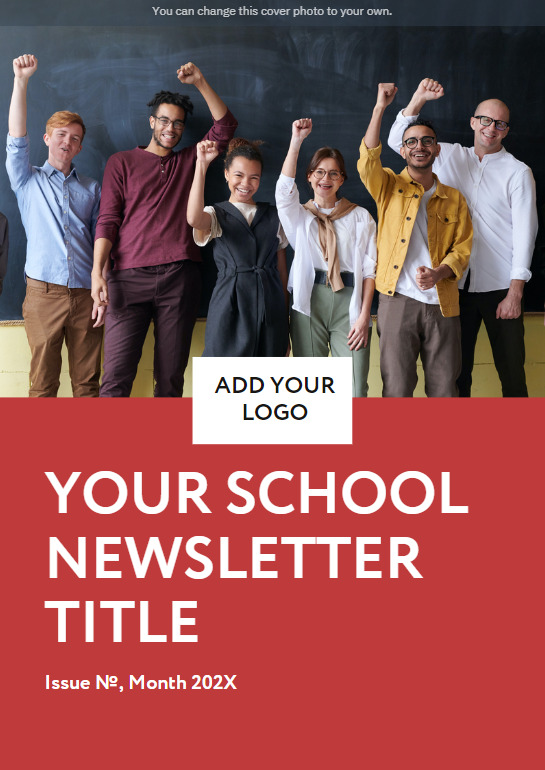
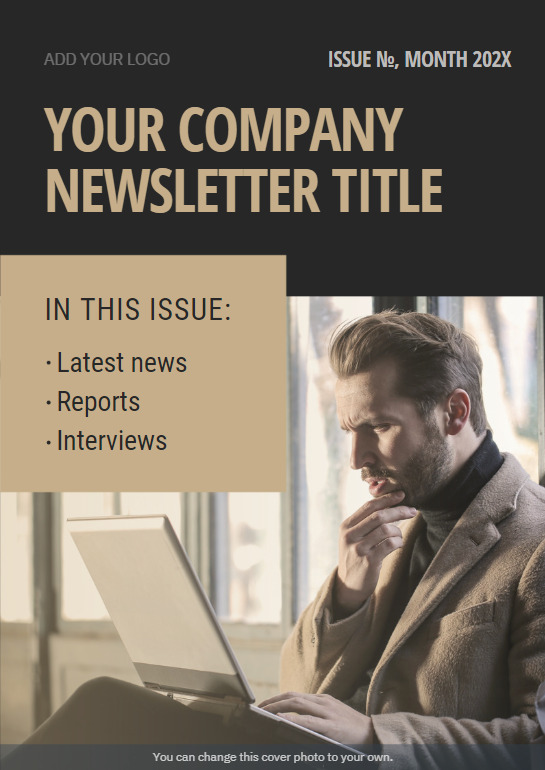
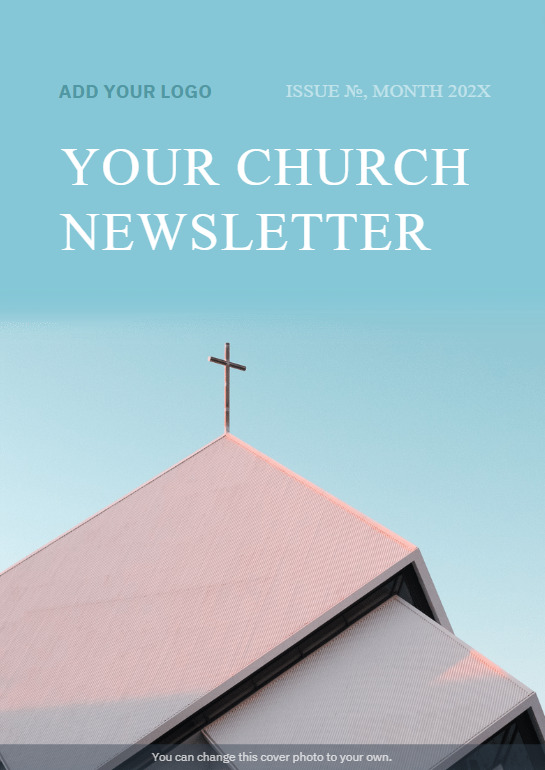
If you’re wondering how to create a newsletter in Canva, the easiest way is to start with a template and customize it to fit your content and style. To make it even easier, here are some ready-to-use newsletter templates we’ve created for you:
|
|
|
|
|
|
How to Make an Online Newsletter
Step 1: Decide on your strategy
Before deciding how to create a digital newsletter, think about what you want to write about. Trying to fit everything into one issue can overwhelm your readers.
Instead, plan your content around a clear schedule. For example, you can send shorter newsletters whenever you have product updates or special offers, publish monthly editions with product tips or latest blog posts, and create more comprehensive quarterly newsletters covering company news, interviews, events, customer stories, or other important updates.
Planning your content ahead of time helps you stay consistent and keeps every newsletter focused.
Step 2: Design your newsletter
Once you've planned your content, it's time to create your first issue. How you design it depends on the length and style of your newsletter. There are two common ways to do this:
1. Create it in an email marketing platform
Short updates can often be created directly in an email marketing platform such as Mailchimp, MailerLite, or Beehiiv using built-in templates.
2. Design it as a PDF
For longer newsletters with multiple sections and richer visuals, creating a designed PDF gives you much more flexibility.
One of the simplest ways to create it is with a design tool: FlippingBook integrates directly with Canva and Adobe Express—two of the most user-friendly options.
If you’re wondering how to create a newsletter in Canva, the easiest way is to start with a template and customize it to fit your content and style. Turning your design into a flipbook is easy: choose a template, add your content, colors, fonts, and images, then export your design as a PDF. Upload the final project to FlippingBook to transform it into an interactive flipbook newsletter in just a few clicks.
Step 3: Make it interactive
Now for the fun part—making the newsletter truly yours.
Whether you're using a design tool or pairing it with FlippingBook, branding and interactivity are essential for making your newsletter stand out. These elements help make your newsletter feel more dynamic and build trust with every issue you send.
Use these tips to take your newsletter design to the next level:
- Add multimedia: Embed videos, clickable links, image galleries, and GIFs to create a more immersive reading experience.
- Keep it on brand: Customize the background, color palette, logo, and even the favicon to match your brand’s look.
- Engage your audience: Want to grow your subscriber list or collect feedback? Add a lead capture form directly inside your flipbook for a simple, built-in way to connect.
Step 4: Share your newsletter
If you’re wondering how to send a Canva newsletter in Gmail, it’s easy: download your Canva design as a PDF or PNG, then attach it to your email. You can also host the design on Canva and share a direct view link.
If you turn your Canva design into a flipbook newsletter, sharing becomes even more flexible. You’re not constrained by file size or page count, and you can share your flipbook in multiple ways: send it as a link, embed it on your website, or generate a QR code.
💡 Pro tip: Want to make your email stand out? You can also embed your flipbook newsletter directly into an email, so readers get a preview right in their inbox and can open the full interactive version with one click. Watch a quick video tutorial.
Step 5: Analyze your performance
Once your newsletter is live, track how readers interact with it to improve future issues. FlippingBook analytics show you how many people opened your newsletter, how long they spent reading it, which pages received the most attention, and which links they clicked.
Use these insights to understand what interests your audience, test different sending times, and refine your content, design, and publishing schedule over time.
Distribute with Impact
And that’s it—five simple steps to help you create and share a newsletter that looks great and works well. Whether you’re updating your team, reaching out to clients, or just sharing something you care about, this process gives you the tools to do it clearly and effectively.
Start with a plan, keep things focused, and don’t worry about getting everything perfect on the first try. You’ll learn what works as you go. With a bit of consistency and a personal touch, your newsletter can become something people actually look forward to reading.
Bring your newsletter to life—turn it into a flipbook in seconds
FAQ
How do I create a digital newsletter?
Start by planning your content and deciding how often you want to publish. Then create your newsletter using an email marketing platform or a design tool like Canva or Adobe Express.
But шf you want a more interactive and memorable reading experience, you can turn your PDF into a flipbook and share it via a link, or embedded on your website.
What is the best format for an online newsletter?
It depends on your goals. Email newsletters work well for short updates, while PDF newsletters offer more design flexibility. Interactive flipbook newsletters combine the benefits of both, letting you share visually rich content that readers can access instantly without downloading a file.
How do I create a newsletter in Canva?
Choose a newsletter template, customize it with your content, colors, fonts, and images, then export it as a PDF. If you want to make it interactive, you can upload the PDF to FlippingBook or send it directly using the Canva integration.
What should I include in a newsletter?
Most newsletters include company news, product updates, promotions, educational content, customer stories, upcoming events, or helpful resources. The most effective newsletters focus on one main topic and provide information that's relevant to their audience.
At FlippingBook, we recommend making your newsletter interactive whenever it adds value. Videos, GIFs, image galleries, clickable links, and lead capture forms can make your content more engaging, encourage readers to explore further, and help drive actions such as visiting your website, downloading resources, or getting in touch.
How often should I send a newsletter?
There's no perfect schedule for every newsletter. Some businesses send updates every week, others once a month or quarter. The best frequency is one you can maintain consistently while continuing to provide value to your readers.