

 FlippingBook Publisher
 FlippingBook Automation
 Salespal
Next steps after creating your first flipbook
 Product: FlippingBook Online
Congratulations on creating your first flipbook!
Your first flipbook is ready, but there are a few more things you can do before sharing it. Let's learn how to make it look more professional, engage readers, track performance, protect your content, and update it later without changing its link.
Plan availability
Some features are only available on certain plans. Learn about the differences between our plans in the comparison chart on the Pricing page.
Your next steps
- Customize your flipbook
- Make it interactive and embed it on your website
- Collect leads
- Track readers
- View statistics
- Protect your content
- Update your flipbook
- Need help?
Customize your flipbook
Personalize your flipbook by adding a custom background, your logo, and a call-to-action button that links to your website:
Available on Optimal and higher.
To learn more, see how to customize your flipbook settings.
Make it interactive and embed it on your website
Use the Content Editor to add images, videos, GIFs, and links to create a richer reading experience.
You can also embed your flipbook directly into your website so visitors can read it without leaving the page. You can embed the full flipbook, a preview, or a clickable cover by copying and pasting a short embed code.
Here is an example of an embedded flipbook enriched with GIFs and links:
IACC Report Highlights Infographic
Embedding is available on Starter and higher. The Content Editor is available on Optimal and higher.
Collect leads
Use the Lead Capture Form to collect email addresses, ask custom questions, or offer premium content after readers submit the form.
Available on Optimal and higher.
Track readers
Instead of sharing the public flipbook link, create a Trackable Link and share it one-on-one with a reader.
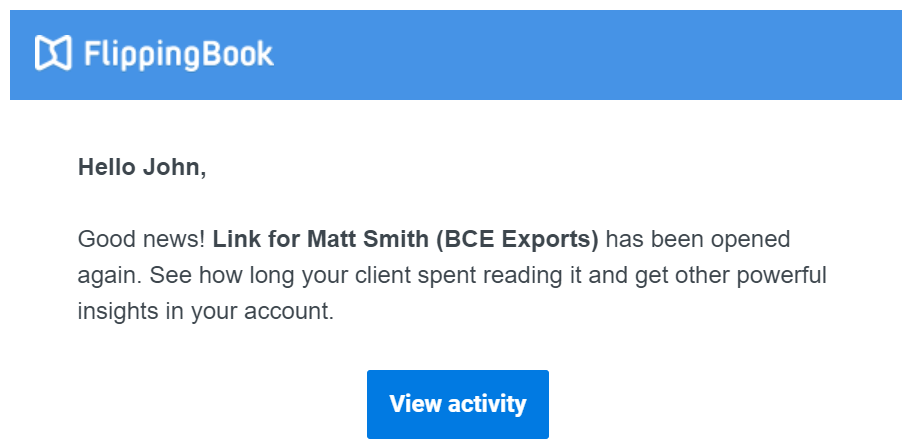
Trackable Links let you:
- Receive an email notification when someone opens your flipbook.
- Get a reminder if they haven’t opened it by a certain date.
- See how long they spent reading and which pages they visited.
Available on all plans.
View statistics
Use built-in Stats to see how readers interact with your flipbook: how many views it gets, how many visitors open it, how much time they spend reading, and which pages attract the most attention.
You can also connect Google Analytics to track flipbook activity alongside the rest of your website.
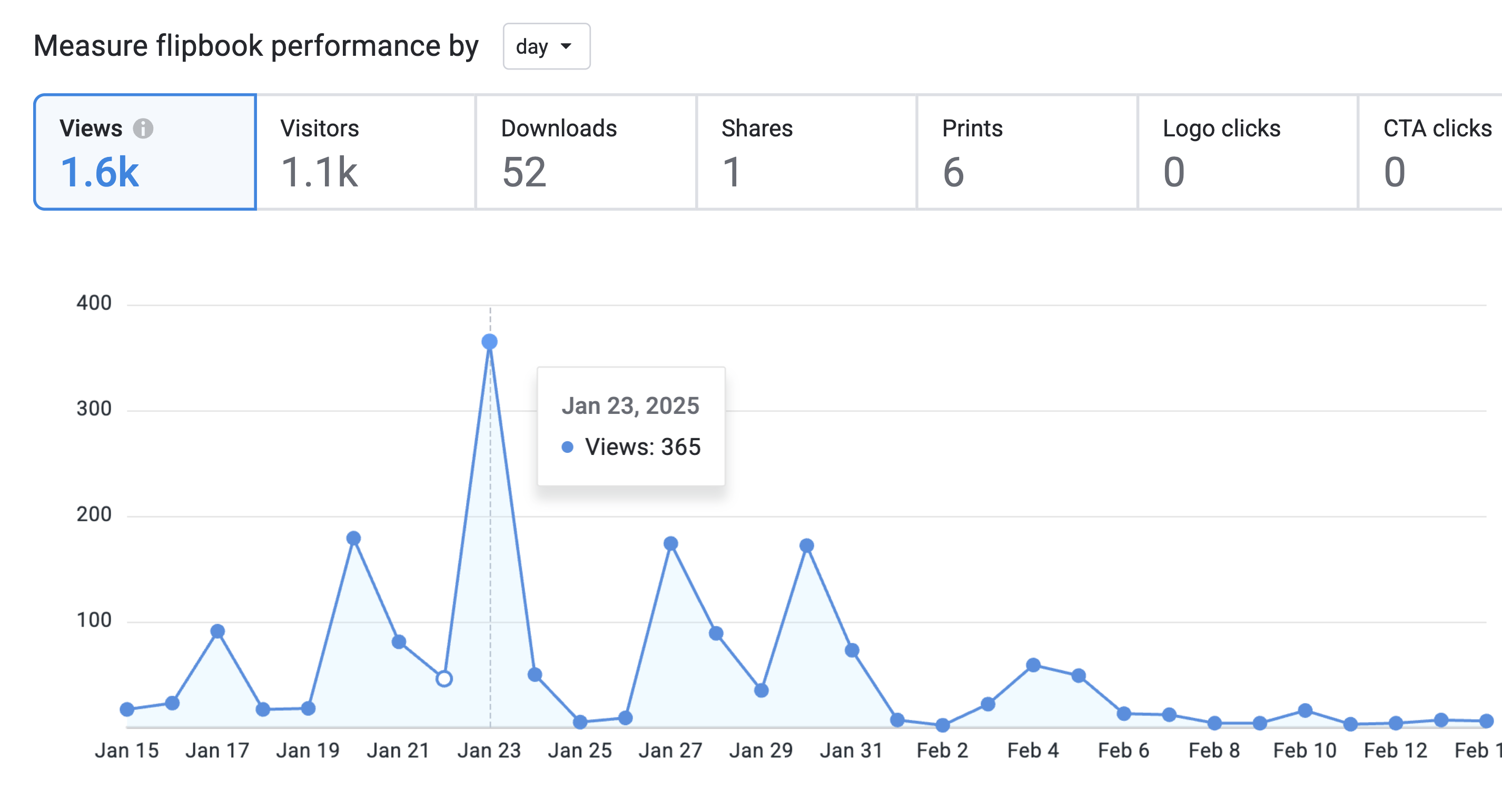
Google Analytics integration is available on Optimal and higher.
Protect your content
Everyone can disable the Print, Download, and Share buttons. Advanced and higher plans also let you use Privacy Settings, such as Password, Email-based access, and Protected Embed.
.png)
Update your flipbook
Need to fix a typo, add pages, or upload a newer version? Replace the PDF instead of creating a new flipbook.
Replacing the PDF keeps the same URL, embed code, QR codes, and existing links.
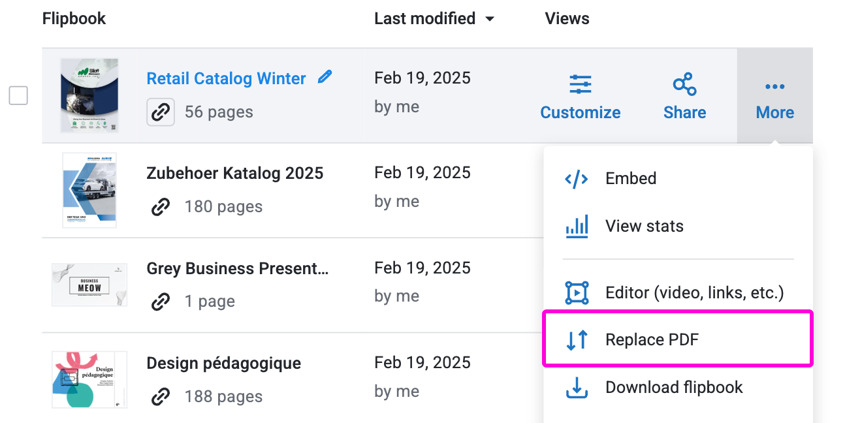
Available on Starter and higher.
Need help?
If you’re not sure which feature to explore next, our team is happy to help.
You can ask your questions in chat, contact us by email or phone, or book a meeting with a Customer Success Manager.
.png)


