Sending a project proposal shouldn’t feel like tossing a message into a black hole. The right proposal can turn an idea into approval, so think of it as your first impression, and make it count.
A project proposal outlines a plan to solve a problem—and it’s one of the most powerful tools for winning approval and aligning stakeholders. Well-structured proposals increase the chances of buy-in and clarity for freelancers, agencies, and internal teams alike.
In this guide, we’ll break down what a project proposal is, highlight the key elements every proposal needs, and share a checklist on making proposals that get a yes. We’ll also explore how digital proposals can enhance readability and engagement, helping your ideas get noticed and approved faster.
What Is a Project Proposal
A project proposal is a document that explains what you plan to do, why it matters, and how it will be done. Its main purpose is to help someone understand a project clearly enough to make a decision—whether that decision is approval, feedback, or next steps.
Project proposal at a glance
- A project proposal is a document that describes a planned project.
- It explains what will be done, why it matters, and how it will be executed.
- The proposal helps decision-makers evaluate and approve a project.
- This document supports approval, feedback, or next steps.
- It acts as both a planning tool and a communication tool.
- The proposal sets clear expectations for stakeholders before work begins.
Today, project proposals are rarely read from start to finish in one sitting. They’re reviewed, shared, skimmed, and revisited by multiple stakeholders. That’s why many teams now choose to present project proposals in a digital format—one that’s easier to navigate, update, and engage with.
Digital project proposals make information more accessible and help readers quickly find what matters most to them. Instead of sending static files back and forth, teams can share a single, interactive proposal that stays up to date and works smoothly across devices.
✨Why digital fits modern proposals
When a proposal is easy to read, easy to share, and easy to revisit, it’s easier to approve.
Want to see a project proposal in action? Check out this interactive example created with FlippingBook—scroll, click, and explore how a digital proposal can make ideas come alive.
Create your digital proposal today
Project Proposal That Wins: Main Advantages
Creating a project proposal is more than a formality—you’re building a strategic tool that showcases you as a company and drives results. Here’s why every proposal matters:
📝Clarifies expectations
A project proposal defines roles, responsibilities, and goals—so everyone knows what’s expected from the start.
🤝Aligns stakeholders
Well-crafted proposals bring teams and clients onto the same page, reducing confusion and misunderstandings.
⚡Speeds up approvals
Structured proposals make decision-making faster and easier by presenting ideas clearly and concisely.
🌟Builds trust and credibility
Professional proposals demonstrate competence and reliability, helping clients feel confident in your plan.
🚀Enhances engagement
Digital proposals increase readability, interactivity, and engagement, making it easier for stakeholders to explore your ideas.
🔄Simplifies updates and collaboration
Digital proposals allow quick updates and seamless collaboration without sending multiple file versions.
⭐Read our overview of the top proposal software to improve your workflow.
Key Elements of a Strong Project Proposal
Let’s see what elements to include in an effective project proposal.
1. Cover and project overview
A project proposal begins with the cover and project overview, the first impression readers see. This isn’t a simple title page—it’s a concise introduction that sets expectations. A strong overview highlights the project’s purpose, scope, and expected outcomes in just a few sentences.
For example, a proposal for a website redesign might begin with: “This project outlines a 3-month plan to modernize the company website, improve user experience, and increase online conversions by 20%.”
💡Micro-tip: In a digital proposal, keep your cover and overview short and visual—these are the first pages that catch readers' attention.
See for yourself! Flip through the proposal below to see how an interactive cover and GIFs throughout the pages shape the first impression.
Ballard Sustainability Booklet
2. Problem or objective
Next comes the problem or objective, which frames the reason the project exists. A compelling proposal clearly explains the challenge or opportunity at hand, focusing on impact rather than features.
For instance, instead of saying, “The website isn’t great,” you could explain, “Current customer support pages lead to a 30% drop-off in self-service completion, increasing call volume and slowing response times.” Quantifying the problem helps readers understand urgency and stakes.
💡 Micro-tip: Digital proposals can enhance this section with a clickable chart or infographic, letting readers grasp the issue quickly.
🔒 Want to share your confidential project proposals securely on the web? FlippingBook offers you a wide variety of options to protect your documents: from password-protected proposals and embedding strictly within your site to limited access and secure document sharing via single sign-on or email.
3. Proposed solution
After framing the problem, the proposal moves to the proposed solution. This is where you describe how you will address the challenge or achieve the goal. A strong solution is broken into clear, digestible steps, illustrated with examples when possible.
You can formulate your solution like this, for example: “Redesign the self-service pages with step-by-step guidance, AI-powered FAQs, and clear calls-to-action to reduce drop-off by at least 25%.”
💡 Micro-tip: Digital proposals allow you to add diagrams, GIFs, or even short videos to demonstrate how the solution works, giving readers a more immersive experience.
⭐With FlippingBook, you can share your proposal as a trackable link, get notifications right in your inbox, and see exactly how your stakeholders or colleagues engage with your content—helping you follow up at the perfect moment. Plus, with a simple integration, you can receive important notifications in Slack and many other tools.
4. Scope of work
Equally important is the scope of work. This section clarifies exactly what is included (and what isn’t) to align expectations. Listing inclusions and exclusions in plain language prevents misunderstandings later.
For instance: “Included: Homepage redesign, FAQ improvements, analytics setup. Excluded: Backend server upgrades, email marketing redesign.”
💡 Micro-tip: Digital proposals can make scope easier to navigate with an interactive table of contents, page previews, and text search. Thus, they are letting readers find the info they need right away and focus on core components, while exploring optional items if they wish.
See how GIFs help illustrate the scope of work in this digital proposal.
A clear timeline and milestones help readers visualize progress and deadlines. Presenting key phases in a readable format, such as a simple table, makes the project feel manageable.
For example: “Over eight weeks, we’ll start with research and discovery, then move to design and prototyping, followed by development and testing, and finally launch the project with a final review.”
💡 Micro-tip: Digital proposals can take this further with interactive timelines and high-quality clickable images and image galleries, where stakeholders click a milestone to see all the details.
6. Deliverables
The deliverables section spells out exactly what the project will produce. This is where you convert activities into tangible outcomes.
Rather than saying “We’ll hold 5 meetings,” specify: “Final responsive website design, AI FAQ module, and analytics dashboard with monthly reports.”
💡 Micro-tip: In a digital proposal, you can embed clickable previews or even short demo videos, so stakeholders can see exactly what they’ll receive. You can also include links to live examples, helping readers engage with your work and understand outcomes more clearly.
7. Pricing and terms
Pricing and terms are often a critical checkpoint for approval. Present costs clearly, and avoid burying details in dense paragraphs
For instance: “Total: $25,000; 50% upfront, 50% upon delivery, includes two rounds of revisions.”
💡 Micro-tip: Digital proposals can make pricing even more transparent with clickable tables or interactive calculators, letting readers explore scenarios without extra back-and-forth.
Have a PDF proposal?
8. Why you or your team
A section explaining why you or your team is the right choice reinforces credibility. Focus on achievements, experience, and measurable outcomes. Short proof points resonate more than long biographies.
For example: “Our team has redesigned 12 enterprise websites in the last two years, increasing average conversion rates by 30%.”
💡 Micro-tip: Digital proposals allow you to include links to case studies or client testimonials for added impact. Or you can make an interactive project gallery, where each project leads to the full description on your website.
9. Next steps
Finally, the next steps section ensures the proposal doesn’t end ambiguously. A clear call-to-action tells the reader exactly what to do next, whether it’s approving the proposal, providing feedback, or scheduling a follow-up meeting.
For instance: “Click the green button to approve the proposal, or schedule a 30-minute call to discuss adjustments.”
💡 Micro-tip: In a digital proposal, CTA buttons and a contact or feedback form make taking the next step effortless, helping move the project forward without friction.
🚀Altogether, these elements, when thoughtfully combined, make a project proposal compelling, clear, and actionable. In digital proposals, each section can be enhanced with interactive features, embedded visuals, and intuitive navigation, making the experience easier for readers and increasing the likelihood of approval.
Want to start creating digital proposals but don’t have the designs yet? We’ve got you covered! Pick one of the templates to customize and make it your own. What’s more, thanks to FlippingBook and Canva integration, you can seamlessly proceed from creating a design in Canva to making and customizing your digital proposal in FlippingBook.
|
|
|
|
|
|
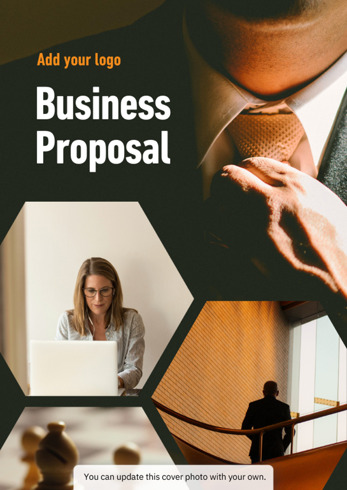
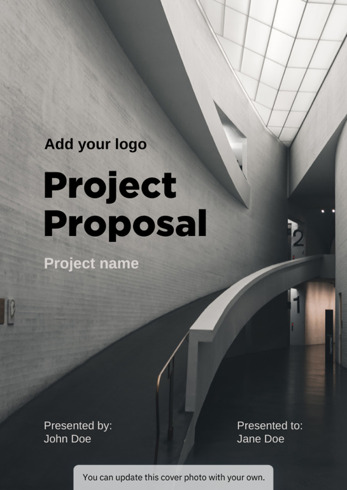
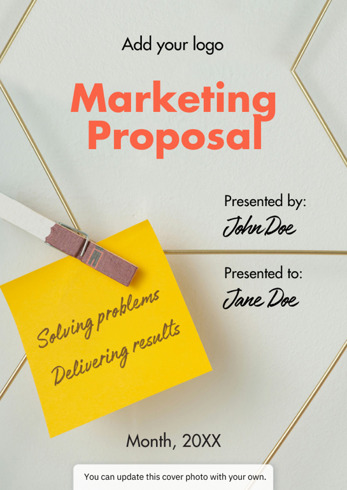
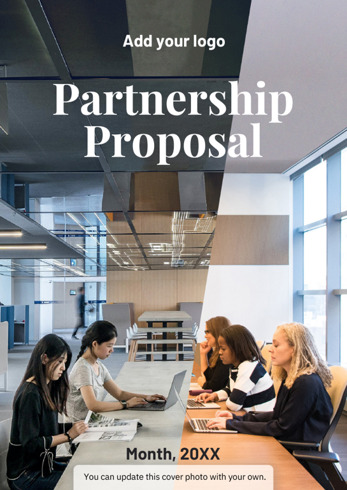
Choose a proposal template and make it your own
What Turns a Proposal Into a Yes: Checklist
Proposals that get approved don’t try to impress; they make decisions easy. Here’s what they do differently:
✅ Start with the reader, not the solution
Instead of leading with tools or process, winning proposals clearly state the reader’s problem or goal. For example: “Your team spends hours answering repetitive customer questions, slowing response times, and increasing costs.” When stakeholders feel understood, they’re more open to what comes next.
✅ Prioritize clarity over completeness
Decision-makers skim first. Strong proposals focus on outcomes, scope, timeline, and cost—with details available but not overwhelming. Digital proposals help by keeping the main flow clean while linking to supporting content only when needed.
✅ Make the outcome tangible
Vague promises don’t build confidence. Approved proposals show what success looks like—whether it’s a workflow, a dashboard, or a finished design. Digital formats make this easier by embedding visuals, mockups, or short demos directly into the proposal.
✅ Anticipate questions and objections
Addressing concerns about budget, timing, scope, or risk upfront reduces hesitation later. Digital proposals can include expandable FAQs or supporting notes without slowing down readers who are ready to move forward.
✅ Use proof, not just claims
Short examples, results from similar projects, or a relevant testimonial reassure stakeholders that the proposal is low-risk. In digital proposals, this proof can appear right where it matters most—next to the solution or deliverables.
✅ End with a clear next step
Every strong proposal answers the question: “What happens now?” Whether it’s approving the proposal, requesting changes, or booking a call, digital proposals remove friction by letting readers act immediately.
Experience a Better Way to Present Your Proposal
A strong project proposal combines clarity, structure, and persuasion—clearly defining the problem, outlining a solution, and making the next steps obvious. If you want your proposals to be read, understood, and approved faster, creating them in a digital format is a smart next step.