

 FlippingBook Publisher
 FlippingBook Automation
 Salespal
Privacy settings: Public, Unlisted, and Private
 Product: FlippingBook Online
The following privacy settings for your flipbook are available in all the paid plans:
Public
In public mode, your flipbooks can be opened by everyone with the link. You can share it normally, and your flipbook can also be found by search engines. Use this option to give maximum exposure to flipbooks, for example, product catalogs, informational brochures, and reports.
It can take between 1 and 4 weeks for a flipbook to show up in search engines, so this option is less useful for flipbooks that you expect to remove quickly. Learn more about SEO optimization for your flipbooks here. If you have dozens of flipbooks that you want to make public, don't worry. It is possible to apply this setting to several flipbooks at once!
🔔Not available in trial!
The Public setting is not available in the Trial plan. This is because the trial lasts 14 days, so Google and other search engines may not index them before the trial period ends. Should you want to give it a go anyway, then contact our product consultants. We will be happy to enable it for you.
Unlisted
If you use the unlisted mode (previously we used Shareable Link), then you can share your flipbooks with your audience by sending them the link. The difference with the Public mode is that unlisted books don't show up in Google or other search engines. Use this if:
- Your content isn't highly confidential, but there simply is no need for anyone except the recipient(s) to find it.
- Your content expires quickly (e.g., an advertising brochure that is only valid for 2 weeks), or changes regularly, and search engines may not keep up.
When you use this option, search engines will not index your flipbooks. We add a noindex tag to your flipbooks to stop search engines from indexing them, and we also remove all the SEO texts. Those are invisible to human readers but used by search engines. Without them, there isn't anything to index at all.
Private
Private flipbooks work only in your FlippingBook Online account. This option is best used for
- flipbooks that you are still working on.
- flipbooks that you don’t want to be public yet. For example, an advertising brochure for a promo that hasn’t started.
- flipbooks that you have used and want to take offline, but not delete permanently, because you may want to put them back in the future.
If you create a private flipbook (or make an existing flipbook private), it will still have a link, and you can still generate embed code. Of course, the link and embed code won’t work yet. We show a warning if that's the case. 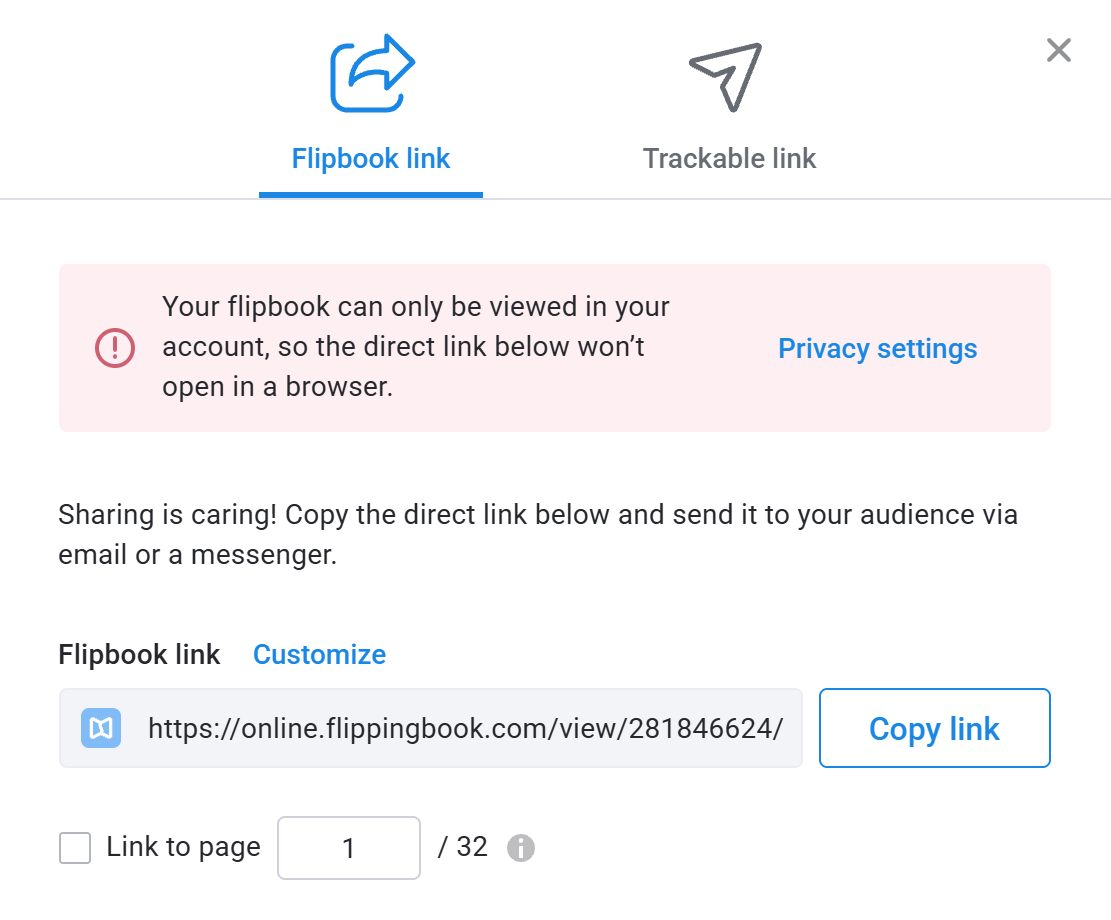
Even though the flipbook isn't active yet, you can already share the link or embed code with e.g. your web team or marketing agency. They can already use it to prepare your site or the next mailing.
⚠️Trackable links will keep working
If you make a flipbook Private, then you can still create trackable links for it. Trackable links that you created earlier will keep working too! Read more about why it works like this and how you can use it in our article Trackable links for protected flipbooks.


