Bring up enterprise marketing automation in a planning meeting, and most people in the room will translate that into a six-month implementation and a dedicated hire to be on top of it. Others picture themselves sitting through hours of demos before getting things up and running.
That’s not necessarily the case. Tools built for large teams do carry more features and advanced logic than solutions built for simpler needs. But advanced and complicated aren’t always one and the same.
This guide covers what enterprise marketing automation tools bring to the table, what to check before choosing one, and five platforms worth testing side by side to pick two or three that fit your workflow.
What Enterprise Marketing Automation Is and How It Works
Marketing automation is built around a rather simple pattern: a trigger happens, such as a visitor joining an email list, and then an automated response is set in motion.
Enterprise marketing automation takes that logic and multiplies it across teams, departments, or locations that may not share insights pre-launch. Large organizations often deal with high contact volumes and complex internal structures, so they need to work out details like user permissions and branded materials.
Here’s how those core components show up in practice:
- CRM sync: Keeps sales and marketing teams aligned by showing the same audience engagement history, automatically updated in real time.
- Multi-channel coordination: Builds complete customer journeys across email, web, social media, and SMS, and tracks them all from a single dashboard.
- Lead scoring: Identifies the most promising contacts based on their behavioral and firmographic data, such as the company size or industry.
- Attribution reporting: Connects revenue and closed deals back to the specific touchpoints that influenced them.
- Centralized control: Lets you access features like team-based permissions and pre-approved templates, so large teams don't trip over each other’s workflows.
What to Look for in a Marketing Automation Platform for Large Corporations
Choosing the right platform shouldn’t be limited to feature comparisons. Make sure to evaluate whether an enterprise marketing automation tool fits your day-to-day workflow.
Use this checklist to assess your top picks:
- Ease of use: Not every team member will be automation-savvy, and that’s fine. Your tool should be user-friendly enough that all stakeholders involved in campaign creation can use it without a steep learning curve. The longer your people spend getting familiar with complicated features, the longer it takes to see value.
- Centralized asset sharing: Multi-location and global brands benefit from pre-approved, shareable marketing assets to ensure brand consistency without building everything from scratch. In franchise digital marketing, for example, individual locations need access to customizable templates as an on-brand foundation for their regional updates and promotions.
- Compliance and permission control: What happens when sales, marketing, and customer success collaborate in shared workflows? Without the right tool, things can get messy. The last one must include tools that help enterprises protect brand identity and regulatory compliance, such as locked content blocks and user permission control.
- Customer support: When technical issues come up, and chances are they will, self-service FAQs usually scratch the surface. Before you invest, look for more effective options to help your team resolve issues, such as phone and email support or a dedicated customer success manager.
- Integrations: Enterprise brands often run on a wide tech stack, from Canva for creating sales proposals to WordPress for managing and scheduling content. Choose a marketing automation platform that plays well with your existing tools to maintain a unified view without extra manual work.
- Overall costs: A pricing page or demo call may look attractive at first glance. However, always check for hidden costs like onboarding fees or extra charges for add-ons like an advanced CRM. Since you expect your business to grow, make sure you understand how pricing changes as you add contacts or add-ons down the line.
5 Top Enterprise Marketing Automation Platforms Compared
From full enterprise suites to tools built for growing teams, here are five platforms that check the boxes. We’ve assessed each against the same criteria: core features, ease of use, pricing, and ideal use case. There’s no ultimate automation tool, though, so the right one depends on your team's size, existing stack, plus current and potential needs.
| Tool | Best for | Starting price | G2 rating |
| HubSpot Marketing Hub Enterprise | Teams that want marketing, sales, and service data in one system | $3,600/month for five users | 4.4/5 |
| Constant Contact Teams | Businesses that need to send multi-channel campaigns across locations and departments | Custom pricing | 4.4/5 |
| ActiveCampaign Enterprise | Mid-market teams looking for advanced automation with CRM functionality | $159/month for five users and 1,000 contacts | 4.4/5 |
| Adobe Marketo Engage | B2B businesses with high-volume campaigns and long sales cycles | Custom pricing | 4.1/5 |
| Oracle Eloqua Marketing Automation | Large organizations using Oracle’s ecosystem that look to create multi-channel campaigns | Custom pricing | 3.9/5 |
1. HubSpot Marketing Hub Enterprise
Best for: Teams that want to have marketing, sales, and customer service under one roof
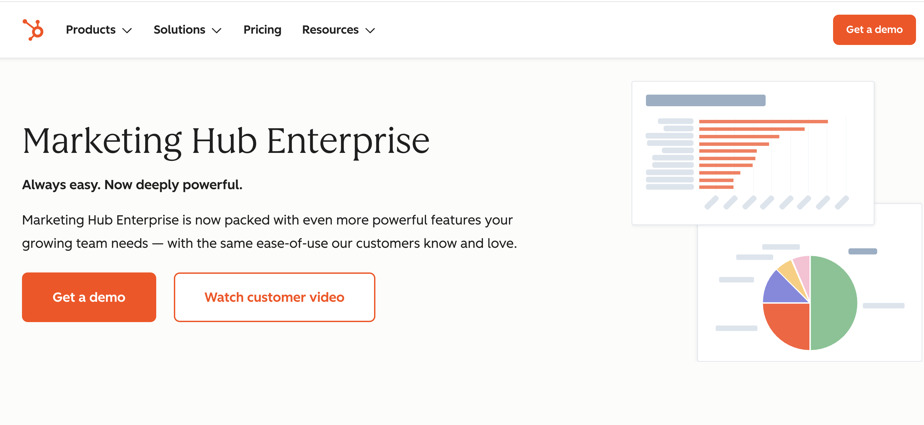
HubSpot Marketing Hub Enterprise builds on the CRM-first approach used in their lower plans, but adds the governance that bigger teams need. For example, businesses get to control which customer and campaign data each user can see and edit.
Since it pulls data from HubSpot's CRM, this option brings together insights from different sources and teams, such as marketing and sales. This saves you time from syncing data across systems. HubSpot Marketing Hub Enterprise charges based on seats and credits used. As a result, costs can climb fast as you add users or your needs grow. That curve is worth considering if you’re a large team.
✨ Key features:
- Team-based permissions to control data access
- Visual automation builder and a range of behavioral triggers
- Direct integration with HubSpot CRM, pulling in data from customer service, email, and social interactions
- Multi-touch revenue attribution
- Extensive suite of AI tools for content generation, prospect outreach, meeting transcriptions, and more
- Single sign-on
✅ Pros:
- Easy-to-navigate interface
- Dedicated customer success manager
- Over 2,500 integrations, including event management solutions and e-commerce platforms
⚠️ Cons:
- Complex and steep pricing structure
- $7,000 one-time onboarding fee
- Some users report the email editor lacks flexibility
💰 Pricing: Enterprise plans start at $3,600/month for five seats, while additional seats start at $75/month. You’ll also have to pay a one-time onboarding fee of $7,000.
2. Constant Contact Teams
Best for: Multi-location businesses, franchises, and large multi-department brands that need to send cross-channel campaigns without a steep learning curve
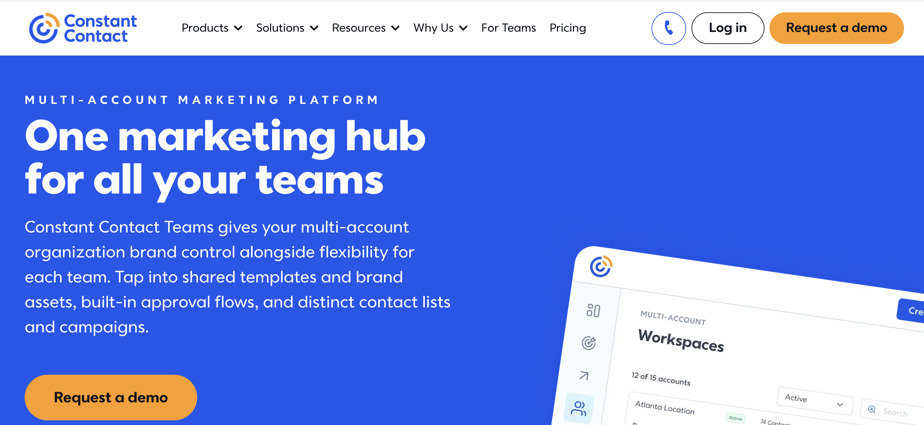
Constant Contact Teams is a marketing automation tool that helps businesses manage marketing across multiple locations and teams. You can create and share brand assets, set user permissions, and offer local teams the tools to build their own campaigns and manage their audiences. Constant Contact Team keeps email, social, events, SMS, and automation in one dashboard without the complex setup of some of its competitors.
The platform’s AI builder lets you create and send location-specific campaigns across email, social, SMS, and events while keeping corporate visibility intact. The main account decides which elements and templates are locked and which ones local teams can customize. From a single account, the parent company can monitor both the overall organizational health and each workspace’s performance to see who’s thriving and who needs support.
✨ Key features:
- Drag-and-drop email editor with more than 700 pre-built templates
- AI Content Generator for landing pages, emails, texts, and social posts
- Shared automated workflows
- Event marketing with built-in payments
- Personalization tools to tailor messages to each location’s needs
- Pre-send reviews and approvals to ensure branding consistency
- Global unsubscribe and compliance options
✅ Pros:
- Clean, beginner-friendly interface
- Multi-channel campaigns (email, SMS, social, events) from one dashboard
- Excellent deliverability
⚠️ Cons:
- A/B testing is limited to subject lines
- Lacks the multi-touch attribution and governance depth larger enterprise teams may need
💰 Pricing: Constant Contact Teams pricing is custom, so you’ll have to contact sales for a quote.
3. ActiveCampaign Enterprise
Best for: Mid-market teams that want enterprise-level, multi-step automation combined with built-in CRM functionality
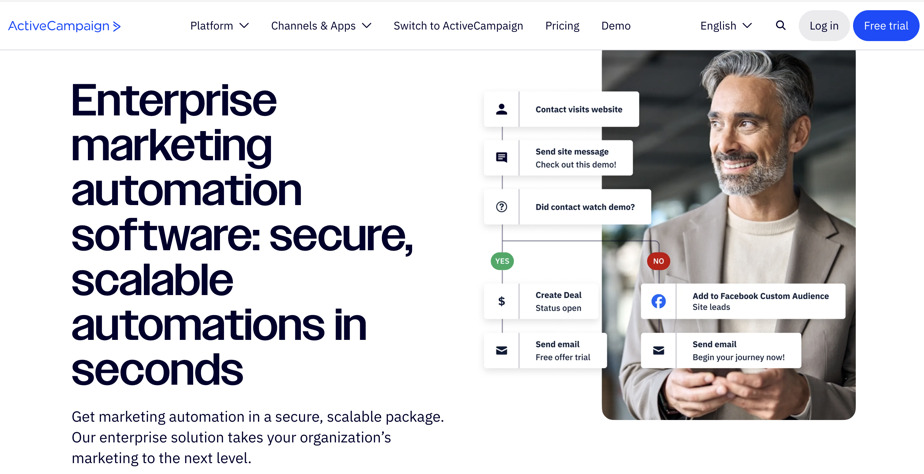
ActiveCampaign Enterprise packs deep automation for sales and marketing departments alike. Its AI engine, Active Intelligence, helps global teams work faster by segmenting audiences, creating content, and identifying high-intent contacts to follow up with first.
It's a good fit for mid-market and enterprise organizations that find Marketo or Eloqua overkill, but still want more personalization depth than a starter plan offers. One thing that can catch you off guard is that SMS and WhatsApp aren’t included in the bundle, since the platform charges for both as separate add-ons.
✨ Key features:
- Extensive library of 950+ pre-built automation recipes
- AI-assisted content generation
- Multi-channel communication across email, social media, SMS, and WhatsApp
- Built-in CRM
- Predictive audience segmentation and analytics
- A/B testing for emails and automations
✅ Pros:
- Unlimited automation actions
- Great email deliverability
- Priority email and chat support, plus a dedicated account team
⚠️ Cons:
- Pricing goes significantly up as you add more contacts
- Enhanced CRM functionality like lead scoring is only available as an add-on
- SMS and WhatsApp messaging are charged separately
💰 Pricing: ActiveCampaign’s Enterprise plans start at $159/month for five users and 1,000 contacts.
4. Adobe Marketo Engage
Best for: B2B businesses with high-volume campaigns and longer sales cycles
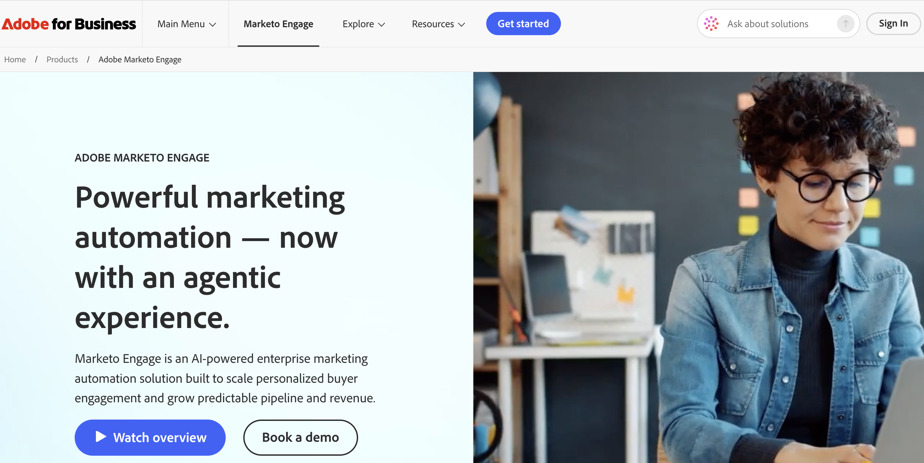
Adobe Marketo Engage is a great marketing automation tool for enterprises looking to create multi-step, omnichannel campaigns. The platform’s customizable lead scoring models help sales teams sort out the most promising contacts and act while interest is still high.
Marketo also comes with strong attribution capabilities, allowing large corporations to trace how customer interactions impact acquisition and retention. Where this solution seems to fall short is onboarding, as users report a steep learning curve and an interface that feels dated next to its newer competitors.
✨ Key features:
- Options to engage audiences across touchpoints like email, chat, and webinars
- Smart Campaign automation triggered by both customer and internal actions
- Lead scoring and marketing attribution tools
- AI-powered content personalization with dynamic content and smart campaigns
- Predictive analytics
✅ Pros:
- Lifecycle tracking
- CRM integration to keep marketing and sales teams aligned
- Multi-step customer journeys with customization options
⚠️ Cons:
- Complex setup, especially for inexperienced users or businesses without dedicated marketing support
- Expensive solution for businesses with more basic needs
- Users report occasional glitches when handling large datasets
💰 Pricing: There’s no public pricing information available. You’ll need to request a custom quote.
5. Oracle Eloqua
Best for: Large B2B organizations already using Oracle Cloud that need straightforward multi-channel campaign creation
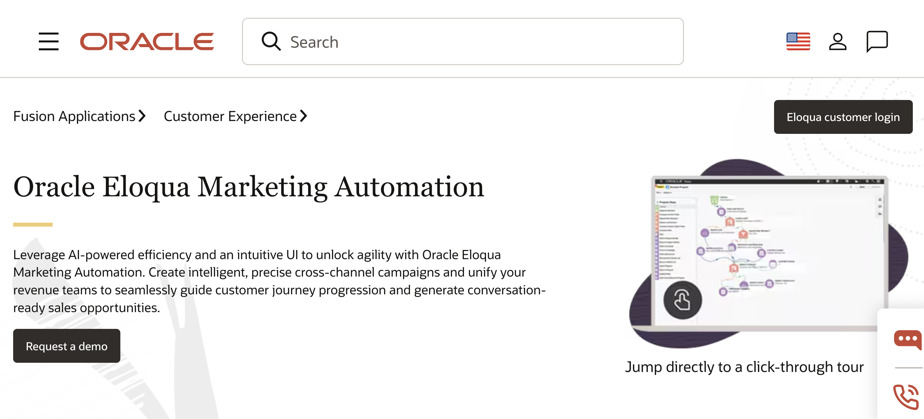
Oracle Eloqua Marketing Automation is an enterprise-level solution for large teams that build campaigns spanning several channels, including SMS, email, and social. The platform’s Guided Campaigns time-saving feature helps non-technical marketers launch branded campaigns using step-by-step instructions and pre-made workflows.
This marketing automation tool also offers account-level reporting, which allows sales teams to track customer data and actions in a unified dashboard and spot qualified opportunities faster. Though user feedback is positive on usability, a few reviewers note more limited customization options than some competitive tools.
✨ Key features:
- Guided Campaigns for branded creation, even for inexperienced users
- AI functionality to segment audiences and personalize campaigns
- Contact scoring based on behavioral data across campaigns and locations
- Flexible campaign reporting with 70+ pre-built, customizable dashboards
- A/B testing
- 500+ integrations, for example, with content management systems and lead generation tools
✅ Pros:
- Intuitive tools that simplify automation, segmentation, and monitoring
- Modern and user-friendly interface
- Integration with Oracle Cloud CX for smooth cross-team collaboration
⚠️ Cons:
- Slightly complex onboarding experience
- Limited customization options based on user reviews
- Users already inside Oracle’s ecosystem are more likely to get full value
💰 Pricing: Oracle Eloqua’s pricing for Enterprise tiers requires contacting sales for a custom quote.
💡 Marketing automation platforms help you coordinate campaigns and nurture leads. But what about the content you share with those audiences? If your team works with a lot of brochures, reports, catalogs, or presentations, FlippingBook is here to help.
Bonus Tool: FlippingBook for Creating and Managing Content
Best for: Enterprise marketing teams that want to manage, distribute, and measure engagement with interactive content at scale
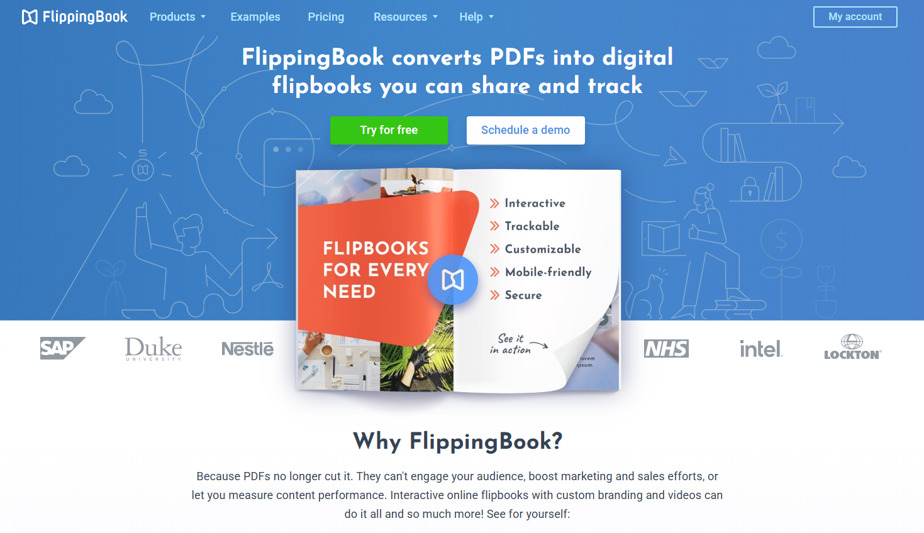
FlippingBook makes your digital documents work the way you need them—with premium content quality, enterprise-level security, seamless integrations, and SSO.
Teams can turn existing PDFs into interactive, mobile-friendly flipbooks with clickable links, videos, and lead-capture forms. They can then share these documents through direct links, website embeds, social media, and QR codes.
FlippingBook also helps teams understand how audiences interact with their content. Document analytics show views, visitors, reading time, clicks, and more, while trackable links help distinguish individual readers and distribution channels. Open notifications can give marketing and sales teams a useful signal for timely follow-ups.
For larger organizations, FlippingBook adds shared and private folders, bookshelves, team access controls, multiple custom domains, SSO, and advanced privacy options. Teams can connect FlippingBook to existing tools via Zapier and use native Canva and Google Analytics integrations. Bulk uploads and API support help teams manage large content libraries more efficiently.
✨ Key features:
- Interactive digital flipbooks with links, videos, audio, and lead-capture forms
- Document analytics for views, visitors, reading time, clicks, devices, geo, and more
- Trackable links and notifications to support timely follow-ups
- Shared folders, bookshelves, team access controls, and multiple custom domains
- SSO, advanced privacy controls, and one-click content updates
- Integrations via Zapier, plus Canva, Adobe Express, and Google Analytics integrations
✅ Pros:
- FlippingBook gives you instant access to your content on any device, with an unmatched reading experience
- Helps teams get valuable insights on content engagement and distribution channels
- Offers effortless content management, security, and access controls for large organizations
- Supports existing workflows through integrations and API-based uploads
⚠️ Cons:
- FlippingBook works with existing PDFs, so you have to prepare one first and then upload it to FlippingBook.
💰 Pricing: Contact FlippingBook for Enterprise pricing. The Enterprise page offers the option to book a demo.
Want to see an interactive flipbook in action? Explore the brochure below to experience it for yourself.
Final Checklist to Choose the Right Marketing Automation Tool
More than a couple of platforms can get the job done, but booking endless demos can turn selection into a quarterly project. Narrow your list to two or three platforms that fit your company’s size, your team's expertise, and your budget before committing to a sales call.
Test each platform against two or three real-world workflows your team runs, like automated post-call follow-ups, to assess its day-to-day usability. Selecting the platform built into your current CRM is tempting, but convenience shouldn't override usability, flexibility, or reasonable pricing.
Finally, tie your decision to a specific timeframe, like a four-to-six-week evaluation window. Setting such a strict deadline ensures you’ll choose the platform that genuinely fits your business, rather than defaulting to the one that followed up most aggressively.
FAQs: Enterprise Marketing Automation Platforms
1. Is enterprise marketing automation only for large companies?
Not strictly. Enterprise refers to the complexity of your workflows, team structure, and data control needs rather than headcount alone. A 200-person company with several product lines can outgrow a mid-market tool just as quickly as a 2,000-person corporation. If you need multi-channel campaigns, shared brand assets, and multi-account management, chances are a tool like this matches your needs regardless of business size.
2. How long does it take to get enterprise marketing automation tools fully running?
Expect a realistic timeline of a few weeks for anything beyond a basic email setup with intuitive platforms like HubSpot and Constant Contact. Platforms with steeper learning curves, like Marketo or Eloqua, are more likely to need dedicated ops support from day one to set things up quickly.
3. Do you need to replace your CRM to use these tools?
All five platforms above are designed to sit alongside a CRM, not replace it. Your CRM remains the main system for customer relationships and sales pipeline, while marketing automation tools handle campaign execution, behavioral tracking, and lead scoring. HubSpot, Marketo, ActiveCampaign, and Constant Contact support Salesforce integration as well as other CRMs, while Oracle Eloqua is the tightest fit if you're already inside the Oracle ecosystem.
Author's bio