


Using Google Tag Manager in Publisher 🆕
 Product: FlippingBook Publisher
Starting with FlippingBook Publisher 2026.3, you can insert Google Tag Manager tags into your publications. This feature is available in the Business Edition and only for publications that you upload to your own server!
What you can do with GTM
- Add chat widgets (like Intercom or LiveChat) so visitors can chat with you without leaving your flipbook
- Add other widgets, like a cookie banner, pop-up banner with a promotion, or a feedback/NPS survey
- Use analytics tools like Hotjar or Microsoft Clarity
- And more…
How to set it up?
To set up GTM for a publication
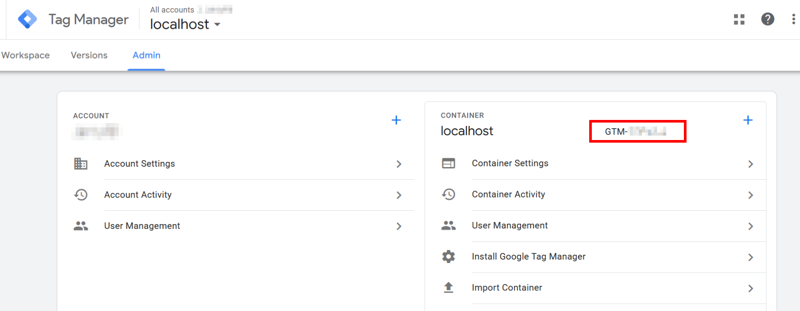
- Find the ID of the container you use (GTM-XXXXXX ) in Google Tag Manager and copy it. It shows up in multiple places, including on the admin page. The screenshot below shows an example.
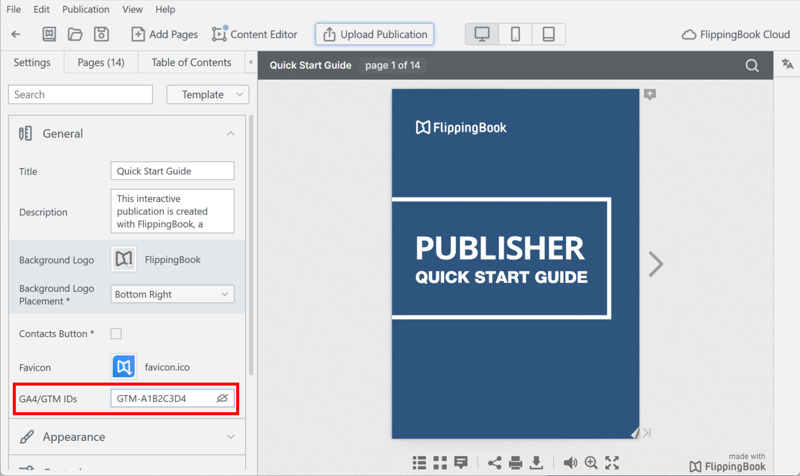
- Paste the container ID into the field GA4/GTM IDs in the General section.
- Upload your publication.
Important to know
- Our integration with Google Tag Manager only works with flipbooks on publications that you upload to your own server. If you publish on FlippingBook Cloud, you cannot upload flipbooks that have a GTM tag added.
- Tags don't trigger when you preview the publication in FlippingBook Publisher. You will have to open the publication in a browser with an internet connection. It is enough to go to Upload Publication, select Local Folder, and then use the Preview button in FlippingBook Publisher.
- We insert the GTM code into publications that are published as Offline Publications, but the tag will only trigger if the reader has an internet connection.
- You can add one GTM container and multiple GA4 Measurement IDs (separated by commas)
⚠️Warning: if you collect Google Analytics using your GTM account, make sure that you don’t add the same Measurement ID that you use in your GTM container! This may result in unexpected results in your analytics! - We have developed a JSON file that you can import into Google Tag Manager with FlippingBook-specific triggers and variables. Feel free to download it and import it into an existing or new container.
- We only provide the mechanism for inserting tags. You are responsible for managing and verifying that the tags you add work correctly. We can't guarantee specific outcomes, troubleshoot individual tags, or help you set up triggers.


